 DataMosaic
#Compare at a grain both systems keep
The till system keeps every receipt. The ERP usually keeps one posted journal per store per day. Two systems can only agree at a level of detail both of them have, so the comparison happens at store × business day, on three numbers: net sales, tax, and the receipt count.
The receipt count earns its place. Two totals can agree by accident when one problem cancels another; a count of receipts rarely does.
Here is an invented Monday at a chain with 120 stores, four of them shown:
| Store | POS net | ERP net | Difference | POS receipts | ERP receipts |
|---|---|---|---|---|---|
| ST-014 | 12,400.00 | 11,920.00 | 480.00 | 412 | 405 |
| ST-022 | 6,410.75 | none | 6,410.75 | 198 | 0 |
| ST-031 | 8,120.00 | 8,119.96 | 0.04 | 287 | 287 |
| ST-037 | 9,875.00 | 9,875.00 | 0.00 | 301 | 301 |
Invented figures. Three stores, three different problems, and only the receipt count tells two of them apart.
#The six reasons
#1. The day is cut at a different hour
The till system closes a business day when the store closes, or at a fixed hour. The ERP posts by calendar date, often in head office's time zone. A store that trades past midnight, or sits in another time zone, moves receipts into the next day on one side only.
How to see it: Monday's difference comes back on Tuesday, the other way round. Add the two days together and they agree.
#2. A store's day never arrived
The end-of-day batch never left the store's server, or left it and stopped somewhere in the integration. The ERP has nothing at all for that store and day, as with ST-022 above.
How to see it: the store is missing from the ERP side, or its receipt count is zero. A full outer join shows it; an inner join silently drops it, which is the commonest way this problem stays hidden.
#3. Returns and voids are booked differently
The till nets returns into the day they happen. The ERP may post them as separate documents, sometimes against the date of the original sale. Voided receipts can be in one export and not in the other.
How to see it: compare gross sales and returns separately. The difference sits entirely in one of them.
#4. Tax and rounding
One system rounds tax on every line, the other once per receipt; or one sends gross amounts and the other net. A few cents a store, every day, is rounding, as with ST-031. A difference close to the tax rate is gross against net.
How to see it: divide the difference by the total. Near the tax rate means gross against net. Tiny and steady means rounding, and the answer is a tolerance, not an investigation.
#5. Gift cards, deposits and discounts
Selling a gift card is a sale at the till and a liability in the ERP; redeeming one is the reverse. Deposits, service items and promotions spread across several lines can land in different accounts on each side.
How to see it: if both systems keep the tender or the item group, compare by it. The difference matches the gift card or deposit total for the day.
#6. The ERP refused some lines
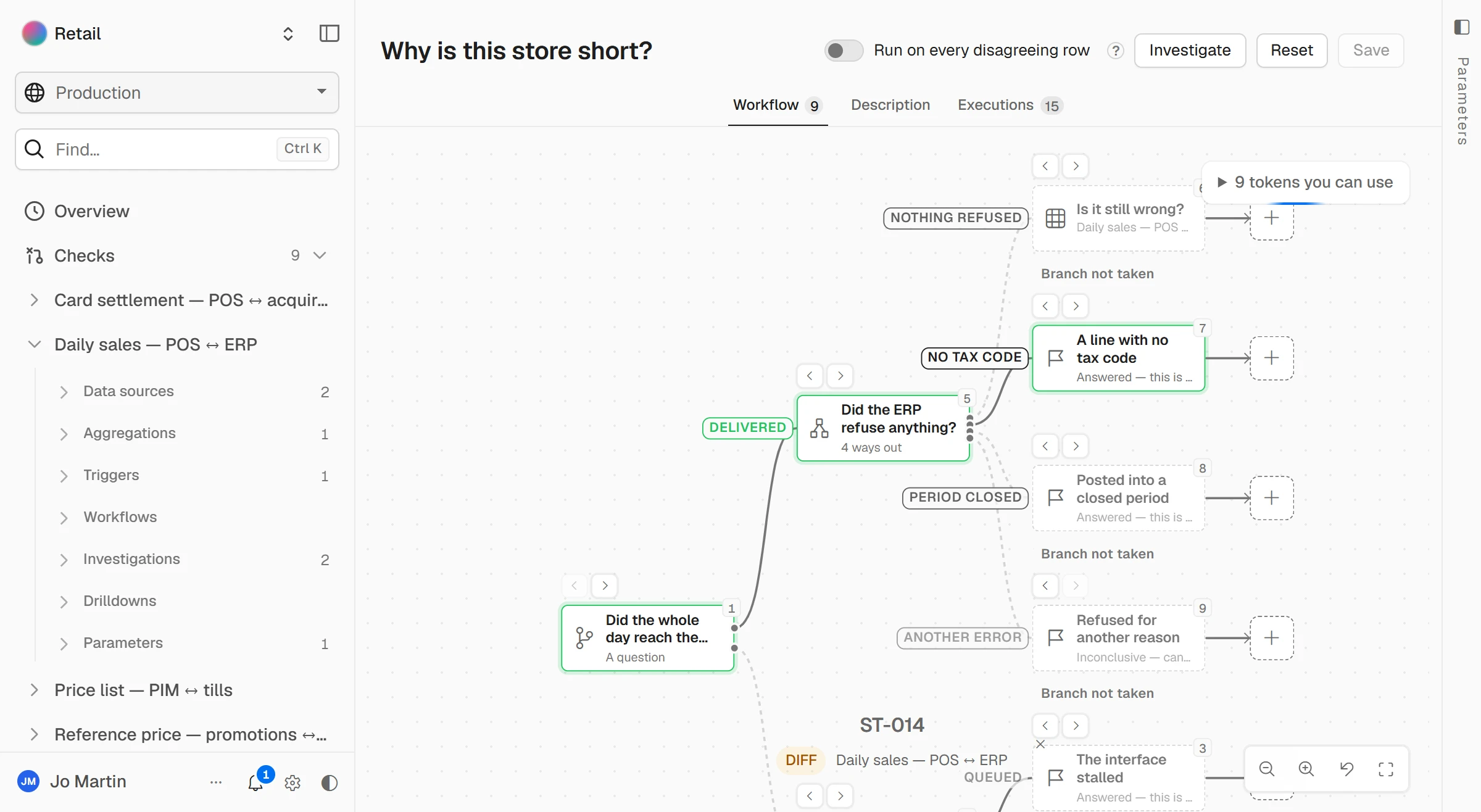
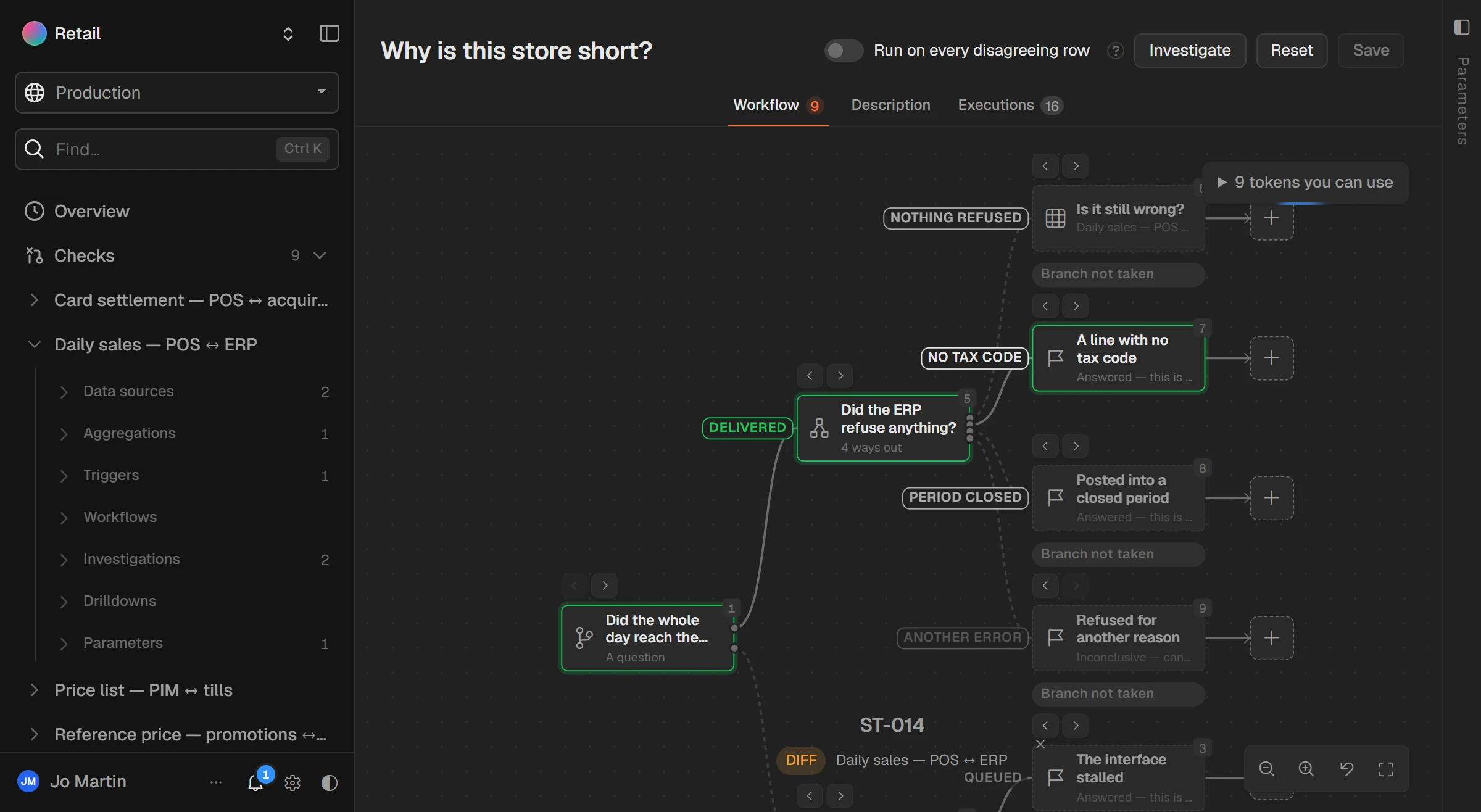
The day arrived, but the ERP rejected the lines it could not post: an item with no tax code, a period already closed, a store that is not mapped. They wait in an interface error queue that nobody opens. ST-014 above is seven receipts short.
How to see it: the receipt counts differ even though the store's day did arrive. The ERP's interface log for that store and date names the refused lines.
#The query
If both sides are loaded into one database each night, a staging schema or two exports, this is the whole check. Table and column names are placeholders for your own.
-- One row per store and business day, from both sides
WITH pos AS (
  SELECT store_code, business_date,
         SUM(net_amount) AS net_sales,
         COUNT(DISTINCT receipt_id) AS receipts
  FROM pos_sales
  GROUP BY store_code, business_date
),
erp AS (
  SELECT store_code, posting_date AS business_date,
         SUM(net_amount) AS net_sales,
         SUM(receipt_count) AS receipts
  FROM erp_store_journal
  GROUP BY store_code, posting_date
)
SELECT COALESCE(p.store_code, e.store_code) AS store_code,
       COALESCE(p.business_date, e.business_date) AS business_date,
       p.net_sales AS pos_net,
       e.net_sales AS erp_net,
       COALESCE(p.net_sales, 0) - COALESCE(e.net_sales, 0) AS difference,
       p.receipts AS pos_receipts,
       e.receipts AS erp_receipts,
       CASE
         WHEN e.store_code IS NULL THEN 'Missing in ERP'
         WHEN p.store_code IS NULL THEN 'Missing in POS'
         WHEN ABS(p.net_sales - e.net_sales) <= 0.05 THEN 'Agrees'
         ELSE 'Differs'
       END AS result
FROM pos p
FULL OUTER JOIN erp e
  ON e.store_code = p.store_code
 AND e.business_date = p.business_date
WHERE COALESCE(p.business_date, e.business_date) >= DATEADD(day, -7, CAST(GETDATE() AS date))
ORDER BY ABS(COALESCE(p.net_sales, 0) - COALESCE(e.net_sales, 0)) DESC;
It is written for SQL Server; only the last two lines' DATEADD and GETDATE are specific to it. PostgreSQL and Oracle run the rest as it is. MySQL has no FULL OUTER JOIN, so there it is a left join and a right join put together with UNION.
#Run it every night
- Run it after the ERP has posted the day, not when the stores close. A check that runs before posting reports every store as missing.
- Look at the last seven days, not only yesterday, so a day cut at a different hour shows up as a pair that cancels out.
- Set a tolerance for rounding, five cents a store a day in the example, and treat anything above it as a difference.
- Send the rows that differ, not a dashboard. Nobody opens a dashboard at 07:30 to find out that everything agreed.
- Keep every night's result. A difference that has been there for three days is a different conversation from one that appeared last night.
#When it is every store, every night
That routine is what DataMosaic does. It runs the check against the till system and the ERP themselves, every night, at the grain you choose, and keeps the history. When a store differs, an investigation asks the questions in this guide in order: did the whole day reach the ERP, did the ERP refuse anything, and what the data says about each answer.
A check only reads both systems. If you want something done about a difference, such as sending the store's day again, that is a workflow you build yourself.
For two exports you already have, comparing two Excel files walks through the same matching by hand.
#Questions people ask
#Why do POS and ERP sales never match exactly?
They count the same sales at different moments and in different shapes: receipts at the till, posted journals in the ERP. Small, steady differences are usually rounding. Large ones are usually a missing day or refused lines.
#Should I reconcile gross or net sales?
Net of tax and returns, with the receipt count beside it, on both sides. When net disagrees, compare gross, tax and returns separately to see which part moved.
#What tolerance should I use?
Enough for rounding and nothing else: a few cents per store per day is usual when one system rounds per line and the other per receipt. Anything rounding cannot explain is a difference.
#How often should POS and ERP sales be reconciled?
Every day, for every store, after the ERP has posted. A month-end reconciliation finds the same problems after they have spread into stock, margins and the books.